
SUMMER SAVINGS 90% OFF QuickBooks for 3 months* Ends 8/27

Buy now
Switch to QuickBooks and 70% off for 3 Months
August 5, 2022
Question

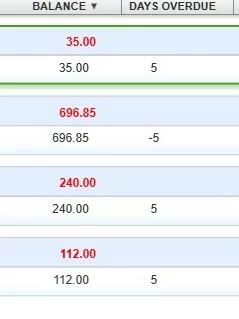
Why does an Invoice, that is overdue, show up as Almost Due in the Collections Center; when I do not have a grace period set up?

We do not have a grace period set up QuickBooks Desktop Premiere under >Edit>Preferences>Finance Charge>Company Preference Tab, but QuickBooks Desktop Premiere always shows "Almost Due" until  invoice is over 10-days unpaid:  What is the fix?
 

1 reply

Level 6
August 5, 2022

Hi there @CLM1. 


Allow me to step in and provide some insight about the overdue invoice that is showing in your collections center, 


QuickBooks  overdue is controlled by the Due Date field. As of now, we don't have the option to remove it from the collection center.


In addition, you can run the A/R Aging Detail report to see the list of all invoices with their due dates and balances. Here's how.


  1. Go to the Reports menu.
  2. Select Customers and Receivables.
  3. Choose A/R Aging Detail.
  4. Enter the reporting period.

I've included this resource to learn how to send and add past due stamps: Show Past Due stamps on invoices. This way, you can easily identify which invoice you'll need to take action on and minimize delays in collection for their dues.


Here's an article that you can refer to when receiving invoice payments. 


Additionally, I've added this article that'll help you learn more about accurately tracking your vendor transactions: Accounts Payable.


Please know that I'll be right here to help you if you have any other questions about the Past Due stamp on invoices, just add a comment below. Have a great day ahead!