


QuickBooks Product Updates: Faster invoicing, simpler payments, and smarter ways to work | Dec 2025
You’ll see improvements across invoicing, payments, reporting, and performance that make QuickBooks more connected than ever.
Here’s a quick look at what’s new and what’s been improved.
[Platform]
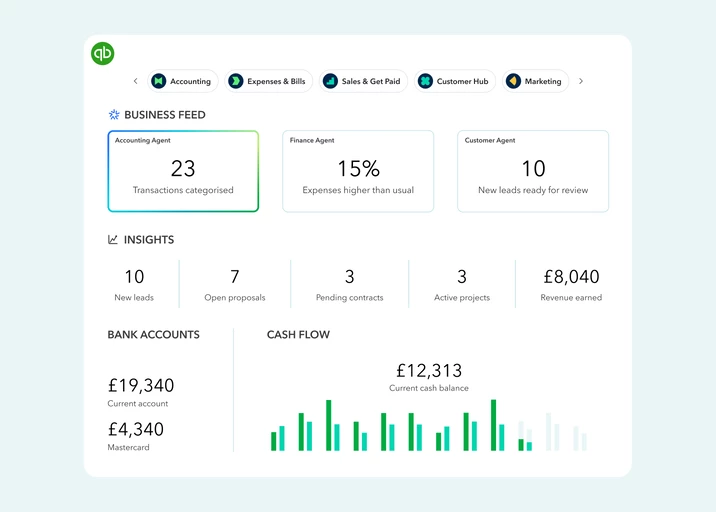
QuickBooks is now more connected, helping you get more done with less manual work.
QuickBooks is now running on the Intuit platform, bringing improved performance, a reimagined interface, and a more seamless experience across Intuit products.
You’ll start to see AI-powered agents working behind the scenes to help with everyday tasks like managing customer leads, projects and bookkeeping, reducing admin without changing how you work.
There’s also a new Customer Hub, giving you one place to organise, track, and connect with customers and leads. This makes it easier to spot new opportunities, re-engage existing customers, and stay on top of your sales activity.
What this means for you:
- Get more done in less time.
- Work more smoothly across Intuit products.
- Stay on top of customers and leads.
- No disruption to how you work.
What you need to do:
These updates roll out automatically, so there’s nothing you need to set up. Learn more here.
[Payments]
Invoice simply. Get paid faster.
Your customers want to pay the easy way, and you deserve a simple solution. We heard you.
With QuickBooks Payments, you can now accept payments directly from your customers' bank accounts with Pay by Bank, or let them use their credit cards with Pay by Card. Give them the choice they want, and get back to business.
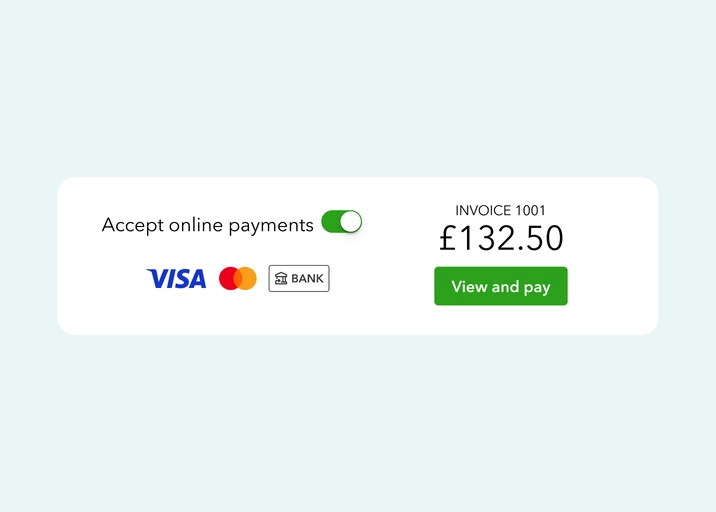
Introducing QuickBooks Payments, everything you need to set up payable invoices to get paid in a couple of clicks. We've now combined the power of Pay by Bank and the flexibility of cards into a single, seamless experience. It's the best of both worlds, making payments easier for you and your customers.
Good to know:
Competitive fees options for both bank transfers (1% + VAT, cap £4) and cards (1.2% + 20p exc VAT).
What this means for you:
- Get paid faster.
- Lower your costs.
- Security and Control.
- Offer more choice to your customers.
- Improve cash flow with confidence.
What you need to do: Turn on QuickBooks Payments and add it to your invoices. Once it’s set up, everything else happens automatically.
[QuickBooks Advanced]
Connect live QuickBooks data directly to Google Sheets
QuickBooks Advanced now connects directly with Google Sheets, making it easier to access your data and work with it outside of QuickBooks.
You can build custom reports and dashboards, share financial data with stakeholders without giving them full QuickBooks access, refresh reports automatically, and collaborate in real time - all without manual exports.
What this means for you:
- Work with live financial data in Google Sheets.
- Share insights without sharing access.
- Save time and reduce errors.
- Collaborate in real time.
What you need to do:
This feature is available for QuickBooks Advanced customers and syncs data automatically once set up.
You can now create invoices faster with a redesigned invoicing experience in QuickBooks Advanced.
QuickBooks Advanced now includes a new invoicing experience designed to make creating and sending invoices quicker and more intuitive.
The updated layout helps you move through invoice creation with fewer clicks, clearer fields, and a more streamlined flow, making it easier to get invoices out and getting paid quicker.
Good to know:
This new invoicing experience is available for QuickBooks Advanced customers and rolls out automatically. For those using QuickBooks for CIS payments, or who have previously used GoCardless or PayPal for invoice payments: you'll remain on the Classic Layout for now.
[Accounting]
You can now process multiple transactions at once, saving time and risk of errors
Our updated batch transactions tool now lets you create, edit, and import massive amounts of data in a single workflow.
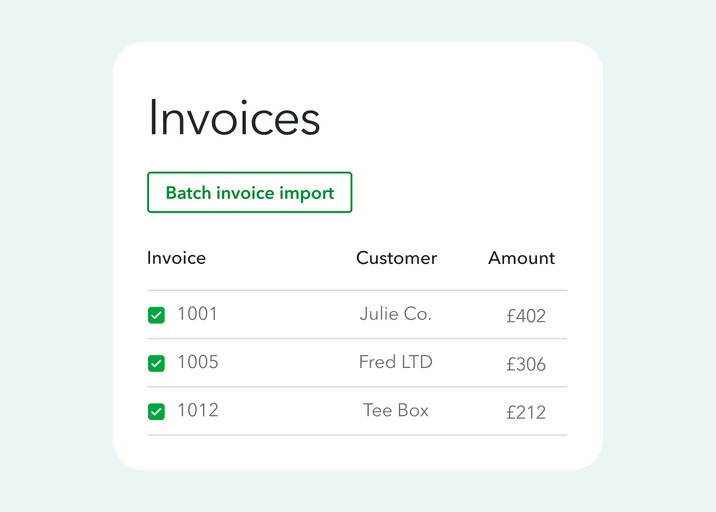
You can apply actions like updating statuses or making changes across multiple invoices at the same time, reducing manual clicks and speeding up everyday accounting work.This is particularly useful during busy periods like month-end, when small efficiencies can make a big difference. Plus, if you need to switch tasks mid way, QuickBooks automatically saves your progress so you can pick up exactly where you left off.
Good to know:
Bulk actions are available for supported transaction types and plans, and roll out automatically. This is available with the following plans: QuickBooks Online Accountant and QuickBooks Advanced.
Most of these updates are rolling out automatically, so you may already have access to some. We’ll continue to share clear, practical updates like these, focusing on changes that make a real difference to how you run your business. Keep an eye out for future posts, and as always, let us know what you’d like us to improve next.