


QuickBooks Product Updates: Introducing the Intuit Accountant Suite plus February’s latest updates (Feb 2026)

February marks the launch of Intuit Accountant Suite, a new platform designed to Manage your firm, clients, and team on one platform
Alongside this major release, we’ve rolled out more AI-powered tools, enhanced client communication features and expanded payroll capabilities. Explore what’s new below.
[INTUIT ACCOUNTANT SUITE]
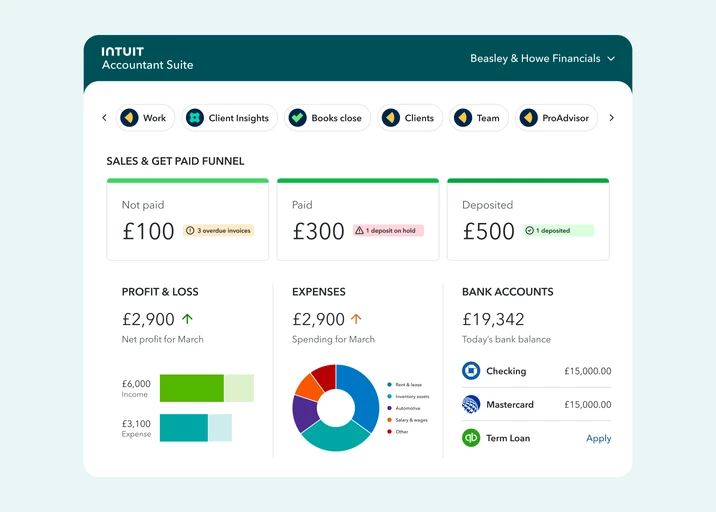
We’re excited to introduce Intuit Accountant Suite, a powerful new platform designed to streamline firm management, client collaboration and team operations, all in one place.
What this means for you:
Intuit Accountant Suite is designed to simplify how your firm operates, bringing together the tools, data and intelligence you need to:
- New and improved design, navigation and home dashboard
- Manage clients, services and teams in one unified platform
- Role-based access controls
- Standardise workflows across your firm
- Gain deeper, AI-powered insights into client performance
- Scale efficiently as your firm grows
Who's it for?
Accounting and bookkeeping firms of all sizes.
[PAYROLL]
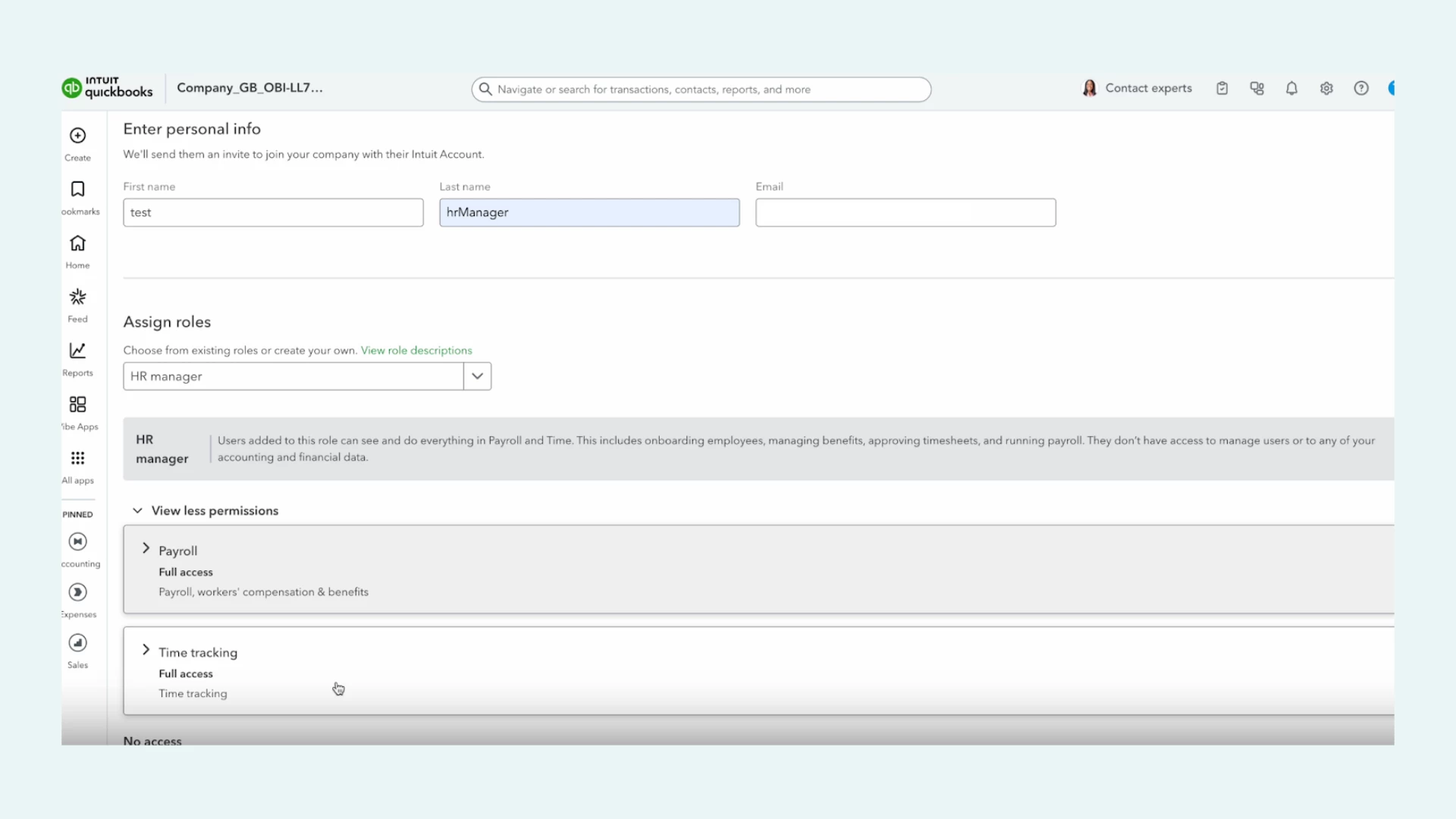
We’ve introduced a new HR Manager role for QuickBooks Payroll Elite customers, designed to give HR teams the access they need, without giving full access to your financial data.
The HR Manager can manage everything related to QuickBooks Online Payroll and QuickBooks Time, including:
- Adding, editing and deleting employees
- Running payroll and viewing payroll reports
- Approving timesheets
- Managing benefits
They can’t:
- Manage users
- View expenses, sales, banking or company financials
What this means for you:
Payroll and HR tasks are often handled by someone who isn’t the business owner or finance admin. That’s why it’s important to provide the right level of access to enable them to do their job without exposing sensitive financial information or granting unnecessary control.
What you need to do:
You can assign the new HR Manager role within Quickbooks. For help on how, read this. This is available only to Payroll Elite customers. Upgrade to unlock this feature.
[PAYROLL]
We’ve launched Job Costing for Payroll customers on Premium and Elite, where customers can allocate payroll expenses by classes (your business departments, product lines and locations etc) and by projects as you run payroll and create payslips.
What this means for you:
A business owner can use payroll cost allocation to answer the following questions:
- How much have we spent on a particular customer’s project?
- Which project was a team member working on this week?
- Which projects are the most profitable for my business?
- Which departments spend the most on (say) swag?
[CUSTOMER HUB]
You can now manage proposals, contracts, e-signatures and appointments — all in one place inside QuickBooks.
With new features in Customer Hub, you can handle every stage of the client journey without switching between tools.
[PAYROLL]
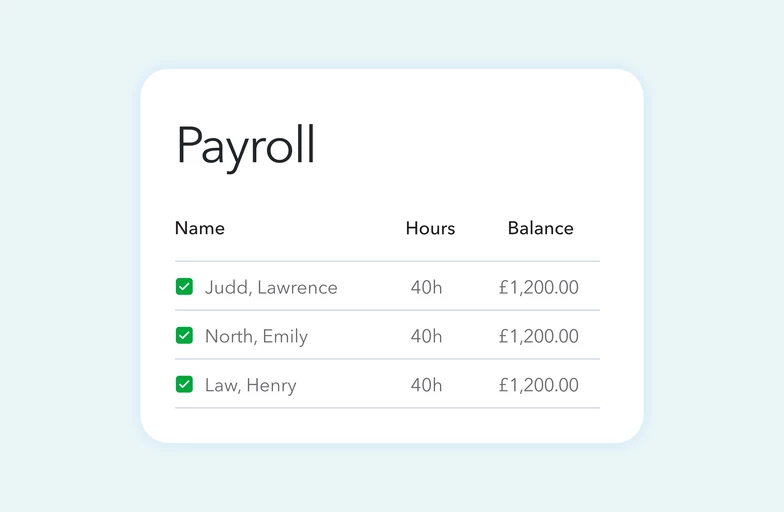
We’ve launched a new payroll lineup designed to support your business at every stage of growth - from director-only companies to growing mid-sized teams.
Whether you need simple, compliant pay runs or advanced workforce management tools, there’s now a plan built for you.
What’s new?
Core: Simple, automated payroll designed for directors and small teams.
Premium: Builds on Core with workforce management tools that help reduce admin.
Elite: A complete payroll and workforce management solution for more complex operations.
What this means for you:
As your business grows, your payroll needs change.
With the new lineup, you can:
- Choose a plan that fits your current stage
- Add more advanced tools when you’re ready
- Reduce admin with automation and self-service
- Gain deeper visibility into workforce costs and profitability
- Scale confidently without switching systems
What you need to do:
- New to QuickBooks Payroll? Select the plan that matches your current stage of growth — and upgrade anytime as your needs evolve.
- If you're an existing payroll customer, you can explore upgrade options within your QuickBooks account.
[ACCOUNTING]
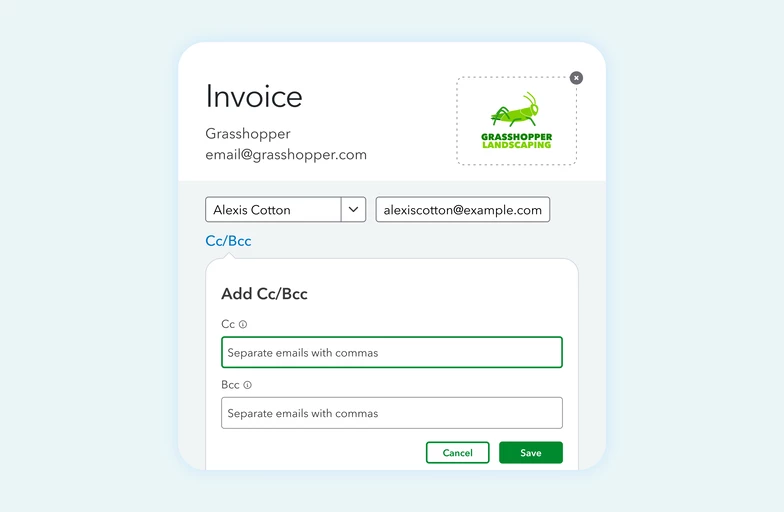
You can now store and select multiple email contacts for each customer or supplier, making it easier to send messages and documents to the right people, every time.
What this means for you:
No more manually copying and pasting email addresses or forwarding messages after sending.
What you need to do:
Select who to Cc and Bcc: Select from the saved list of names under a customer or supplier to add recipients to Cc and Bcc.
[ACCOUNTING]
We’ve made improvements to bank feeds to help you work faster, reduce manual errors and keep your financial data organised and complete.
What’s new?
Drag and drop attachments: Easily attach receipts and documents to unmatched transactions using drag and drop.
Account search: Quickly find a specific bank account or credit card using the search bar within bank feeds.
Payee warnings: Turn on alerts to notify you if a transaction is posted without a payee so you have complete data when it’s time to reconcile.
What you need to do:
To access these features:
- Make sure your bank accounts are linked to QuickBooks
- Ensure you’re using the new AI-powered bank feeds experience
Once connected, the new enhancements will automatically appear on your Bank Transactions page.
We’ll continue to share clear, practical updates like these, focusing on changes that make a real difference to how you run your business. Keep an eye out for future posts, and as always, let us know what you’d like us to improve next.