


QuickBooks Product Updates: Making Tax Digital for Income Tax, Payments, and P60s | Mar 2026
Making Tax Digital for Income Tax is now live and there's a lot of support built into QuickBooks to help you navigate it. We've also got updates across Payments and Payroll, plus a brand new integration for landlords. Here's your monthly roundup.
[PAYMENTS]
If you use QuickBooks Payments, you'll know that matching bank transactions has always been a manual job. Good news, you can now do this for you automatically, saving you a step every time a payment comes in.
What this means for you
Instead of manually matching each QuickBooks Payments transaction when you download your bank activity, QuickBooks will now match them for you. Less admin, more time back.
Who's it for?
QuickBooks Online users who use QuickBooks Payments.
Note: this feature may not have rolled out to all accounts just yet.
What you need to do: Automatic matching should switch on by default, but you can turn it on or off at any time. Learn more here.
Worth knowing: not every transaction can be matched automatically. For example, if your bank doesn't provide a unique ID for QuickBooks Payments, you'll still need to match those manually.
[MAKING TAX DIGITAL]
As of 6th April 2026, Making Tax Digital for Income Tax (MTD for IT) is now live. This will require many sole traders and landlords to submit quarterly updates to HMRC for each income source, in addition to a single annual income tax return.
What this means for you
If you're self-employed with income above £50k, you'll now have quarterly obligations to submit returns, plus your end-of-year tax return. In addition, if you have two income sources, that's up to 9 obligations in total across the year. This includes 4 quarterly updates per income source and a single tax return.
What's new in QuickBooks to support you: We've launched a number of updates based on customer feedback:
- Smoother authorisation — improved validations for your trading name and business type means fewer errors when authorising QuickBooks for an MTD-registered business
- HMRC Assist — targeted messages from HMRC surfaced directly in QuickBooks to help you get your tax return right
- 3-Line Accounting — if your income is below £90k, you can now send just your total income, total expenses and profit/loss to HMRC, keeping things simple
- Historical Calculations — full visibility into your previous HMRC tax calculations, all in one place
- Mobile Approvals — accountants can now send quarterly figures to clients for approval before submitting to HMRC
- MTD Settings Hub — a central dashboard showing the data HMRC currently holds for your business, plus the ability to disconnect or update your tax year basis directly in QuickBooks
[PAYROLL]
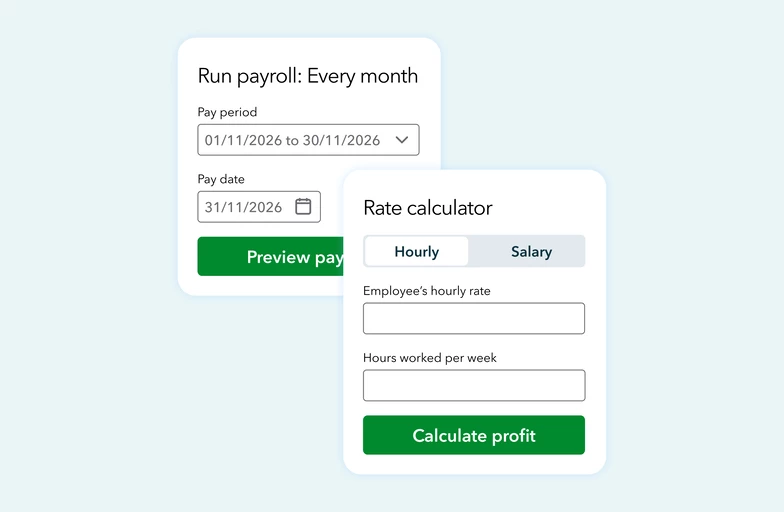
Your employees can now view and download their P60s directly from the Workforce app, making it quicker and easier to access the information they need.
What this means for you
No more chasing payroll for end-of-year documents. Less back-and-forth for everyone.
Who's it for?
Available to those on QuickBooks Payroll Core, Premium and Elite plans.
[QuickBooks × Hammock MTD]
If you're a landlord who's also self-employed, MTD for Income Tax just got a lot more manageable. We've partnered with Hammock, a property management platform built specifically for landlords to launch a direct integration that lets you handle all your income sources in one joined-up flow.
What this means for you
You can now move between your QuickBooks self-employed and Hammock landlord licenses with a single click, view all your MTD obligations for both income sources in both platforms, and submit quarterly updates for each income stream in the right place. Your annual tax return is then completed in QuickBooks.
Access specialist landlord features such as rental yields, rent arrears tracking, occupancy rates, and support for joint property owners. Income and expenses are automatically split by ownership proportion and MTD obligations sent separately for each MTD-registered owner.
What you need to do:
The integration is accessed once QuickBooks has been authorised for your self-employed business.
Your MTD-registered UK or foreign property business then appears within your income sources with the Hammock logo and a 'Go to Hammock' link. Clicking on the link will prompt you to login your Hammock account or allow you to purchase a license.
We’ll continue to share clear, practical updates like these, focusing on changes that make a real difference to how you run your business. Keep an eye out for future posts, and as always, in the comments, let us know what you’d like us to improve next.