


QuickBooks Product Updates: New ways to get more from QuickBooks | July 2026
July brings a mix of new ways to get more from QuickBooks and practical improvements to the tools you use every day.
We've introduced new payroll plans designed to flex with different client needs, sharing the latest picture of UK small business, and improvements across banking, reconciliation, reporting and mobile, plus a closer look at what QuickBooks Online Advanced can offer growing businesses.
Here’s what’s new and what it means for you.
[PAYROLL]
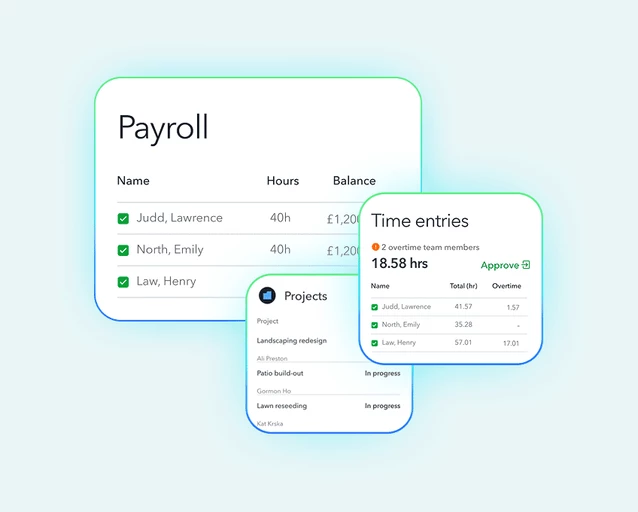
If you manage payroll across a range of client types, there's now a plan designed to fit each of them and grow with them as their needs change. Introducing three plans designed to give you the flexibility to match the right solution to each client, and move them up as their needs evolve.
What this means for you
Core — ideal for director-only companies and first-time employers. Covers the essentials: automated tax and NI calculations, RTI submissions to HMRC, and pension auto-enrolment (NEST).
Premium — built for growing teams. Time tracking feeds directly into payroll (no manual data entry), an employee self-serve portal gives staff access to payslips and P60s, and job costing helps you show clients which roles and projects are actually profitable.
Elite — the complete workforce solution for clients with mobile teams and complex or project-based operations. Geofencing, estimates-vs-actuals job costing, and project profitability tools give you full visibility over workforce activity and client billing.
Across all three plans: A new AI-powered payroll summary automatically flags run-to-run changes so you can catch discrepancies before payroll is processed.
Who's it for?
Accountants and bookkeepers managing payroll across a variety of client types
Available on: Intuit Accountant Suite, Simple Start, Essentials, Plus, and Advanced. Explore QuickBooks Payroll→
[RECEIPT CAPTURE]
We've improved receipt capture based on your feedback, making it more accurate and easier to use.
What this means for you
- Tax rates on individual line items are now extracted automatically
- Multi-currency receipts are now supported
- Bulk upload lets you process multiple receipts at once
- Improved accuracy across all core fields
Who's it for?
Sole Trader Plus, Simple Start, Essentials, Plus, and Advanced.
What you need to do:
Nothing, it’ll be rolling out fully by end of August.
[MOBILE]
The QuickBooks mobile homepage has been redesigned so you see what matters the moment you open the app.
What this means for you
- An AI-powered cash flow forecast shows your upcoming cash position at a glance, no need to run a report
- A prioritised "what needs attention today" feed surfaces the most important actions
- Faster navigation to the tools and insights you use most
Who's it for?
Sole Trader Plus, Simple Start, Essentials, Plus, and Advanced.
[REPORT BUILDER]
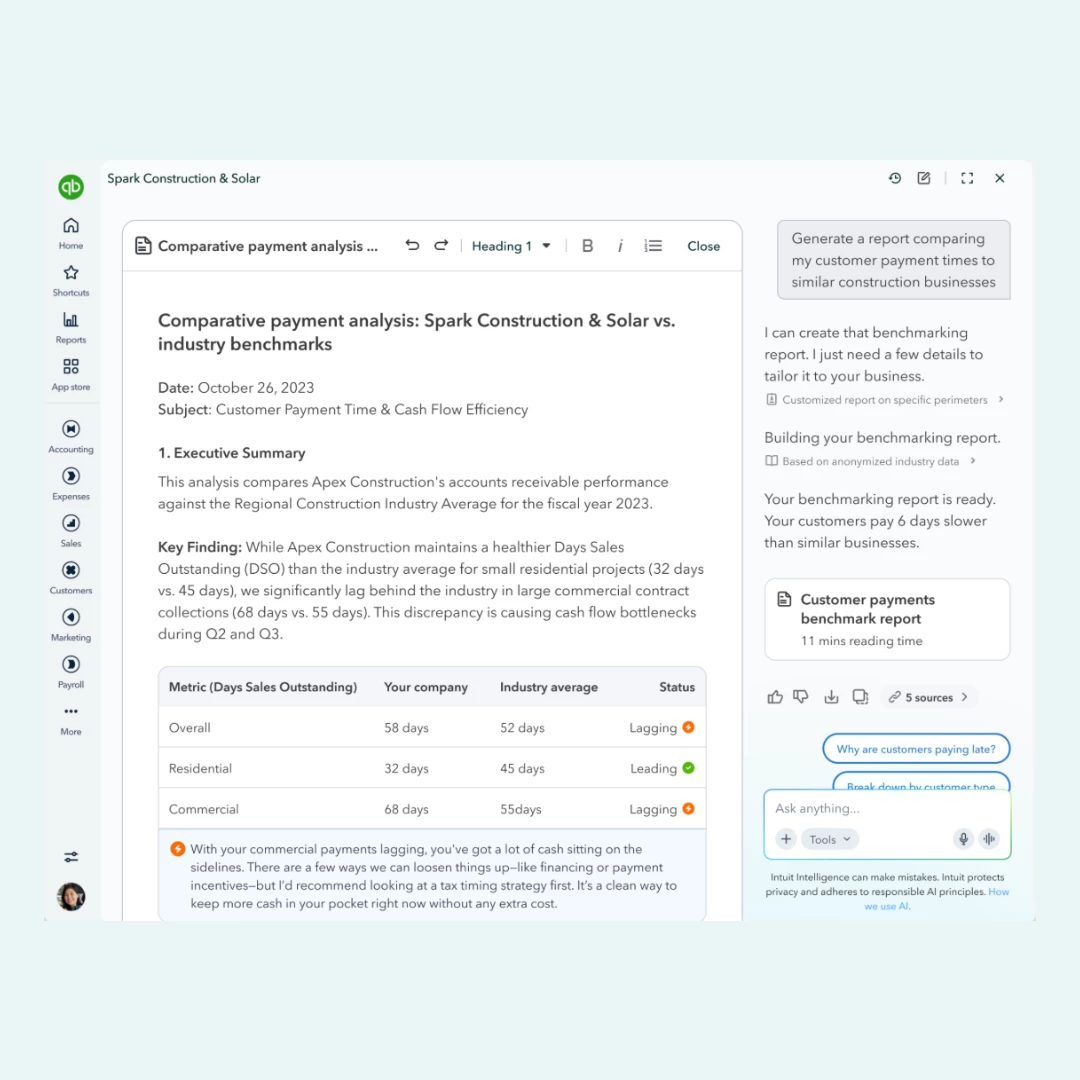
You can now build and customise reports using plain English, no need to learn the custom report builder.
What this means for you
- Describe the report you want conversationally and Intuit Intelligence builds it for you
- Edit and refine reports through natural language rather than navigating step by step
- Cuts report creation time roughly in half
Who's it for?
Those on Simple Start, Essentials, Plus, and Advanced.
[AI]
You can now build your own AI automations inside QuickBooks with no technical setup required.
What this means for you
- Describe a recurring task in plain English (e.g. "summarise my sales every Monday") and Intuit Intelligence turns it into an automated skill
- Start from a template or build from scratch
- A Skills Hub dashboard shows everything running, paused, or errored with a full audit log
Who's it for?
Sole Trader Plus, Simple Start, Essentials, Plus, and Advanced.
[SMALL BUSINESS INDEX]
Our latest Small Business Index is out. UK small businesses employed over 4.1 million people in June, with employment growing for the second consecutive month and job vacancies rising by more than 4,000 open positions.
Curious how your sector or region is performing? Read the full report →
ICYMI: Core improvements you might have missed
- Bank connections
- We've targeted the most common connection error codes and made fixes so things stay flowing. You'll also now get a heads-up before a connection needs re-authorising rather than finding out days later that transactions have stopped coming through.
- Smarter bank transaction matching
- The most likely match now surfaces first, possible duplicates get flagged before you post, and the search window widens automatically when nothing matches nearby so delayed deposits and batched payments don't fall through the cracks.
- Reconciliation
- New guardrails catch edits or deletions to already-reconciled transactions before they quietly break your beginning balance. Undo reconcile is also now available to any Primary Admin, not just the Accountant role.
- Modern reports
- Improvements across usability, how reports display, how you find and filter what you need, and cleaner exports. More of these are rolling out over the coming months.
- Mobile app
- Fewer unexpected sign-outs, and more reliable receipt capture and mileage tracking.
[GUIDED SET UP]

Did you know you can get FREE 1:1 onboarding with QuickBooks?
If you're new to QuickBooks, we want to make sure you're set up for success from day one, so we're giving you access to a free, personalised onboarding session with a real product expert.
What this means for you
No more guessing where things live or how to get started. Your onboarding session is a chance to ask questions, get set up properly, and start saving time faster.
Who's it for?
This one's for customers who joined us within the last 90 days. So, if you're relatively new here, this is your sign to book now.
What you need to do:
You can find it directly within QuickBooks, or click here to get started.
[QUICKBOOKS ONLINE ADVANCED]
Ready to take your QuickBooks to the next level? QuickBooks Online Advanced is built for growing businesses that need more power, more automation, and more control.
What this means for you
- Save time with automation — set up workflows to handle recurring tasks like invoicing and reminders, so you can focus on running your business
- Better business visibility — access advanced reporting and customisable dashboards to get a real-time picture of performance
- More control and protection — manage exactly who can see and do what with custom user roles and permissions
- Replace tools you're already paying for — consolidate separate apps into one platform and potentially reduce your overall costs
Who's it for?
Growing businesses ready for more automation, reporting, and control. Explore QuickBooks Online Advanced →
We’ll continue to share clear, practical updates like these, focusing on changes that make a real difference to how you run your business. Keep an eye out for future posts, and as always, in the comments, let us know what you’d like us to improve next.