
Get 50% OFF QuickBooks for 3 months*

Buy now
Switch to QuickBooks and 70% off for 3 Months
March 15, 2021
Question

Customer Contact List Report does not include the 'cc' email

  • March 15, 2021
  • 1 reply
  • 4 views

To duplicate this issue:

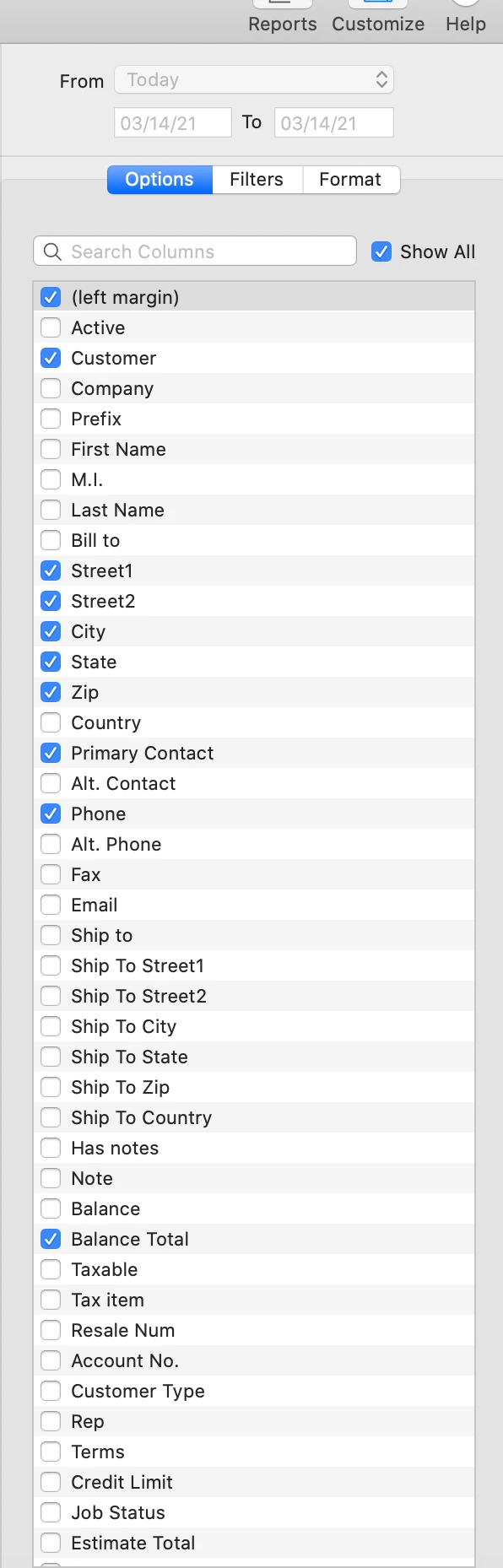
Reports, Customers and Receivables, Customer Contact List, Options, check 'show all'.

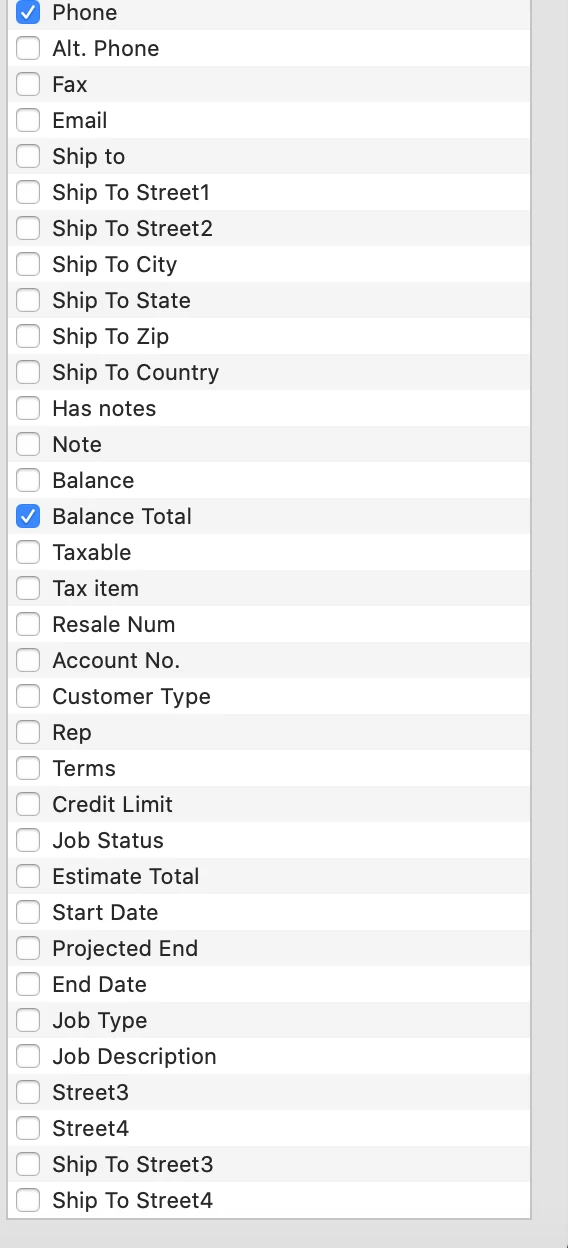
Most customer data shows but the 'cc' field and a few others are not available for selection.  Why?  It seems like any customer field which may have data should be available in a customer contact list report.


Screen shots of the available fields are attached.
1 reply

AlexV
Level 10
March 15, 2021

Thank you for posting here, quicken1.


Let me share some details about the Cc email.


I understand that you want to add the Cc email to the Customer Contact List report. While we're unable to do this, you'll want to go to the Customer Center and proceed to the Email tab. From there, we can get the client's Cc email.


Need more help in making your reports more presentable? Here's how to customize reports in QuickBooks Desktop for Mac.


Keep on posting here if you need anything else. We'll respond as soon as we can.

quicken1Author
March 15, 2021

The issue is not that I can't get the customer 'cc' email.  It's of course available in the customer data screen.  The problem is that the field is excluded from the report which means I can't export a list of my customers and their details to PDF or Excel for other uses. 


Why can't you do this?  Why is Quickbooks for mac almost good but not quite good and why isn't Quicken working to improve these little but significant issues? This kind of thing was never a problem w/ Quickbooks for Windows.  Similar to the issue w/ bcc being included on statements emailed to customers which I have reported as a bug to your support.


btw, I assume/hope quickbooks online is where most of your development efforts are and I would use that except that I have multiple organizations to support and the cost model is very unfavorable compared to the desktop version.  

Rubielyn_J
Level 8
March 15, 2021

Let me chime in and help you today, @quicken1


I understand, how important it is to you to have the feature. But, currently, the CC email field in the Customer Contact List report is unavailable.


In this case, I suggest contacting our support team. They have tools to check your account and provide alternatives to reach your goal.


Here's how: Open QuickBooks.


  1. Go to the Help menu. 
  2. Choose QuickBooks Desktop Help.
  3. Click Contact Us.
  4. Provide a brief description of your issue, then select Let's Talk.
  5. Finally, choose a way to connect with us.


For more details, please see this article: Contact QuickBooks Desktop support.


Additionally, you can customize any of your reports in QuickBooks Desktop for Mac so they have the data and style you want.


If you have additional concerns, feel free to comment below. We'll be right back. Good day.