Get 50% OFF QuickBooks for 3 months*

Buy now
Switch to QuickBooks and 70% off for 3 Months
January 15, 2021
Solved

For a credit car register: error: "Cannot generate a QuickReport without a name"

  • January 15, 2021
  • 1 reply
  • 10 views

In QuickBooks Desktop 2020, I just just generated my first QuickReport for my Bank's bank register without a problem by clicking the QuickReport button appearing on the top of the register, nice feature..


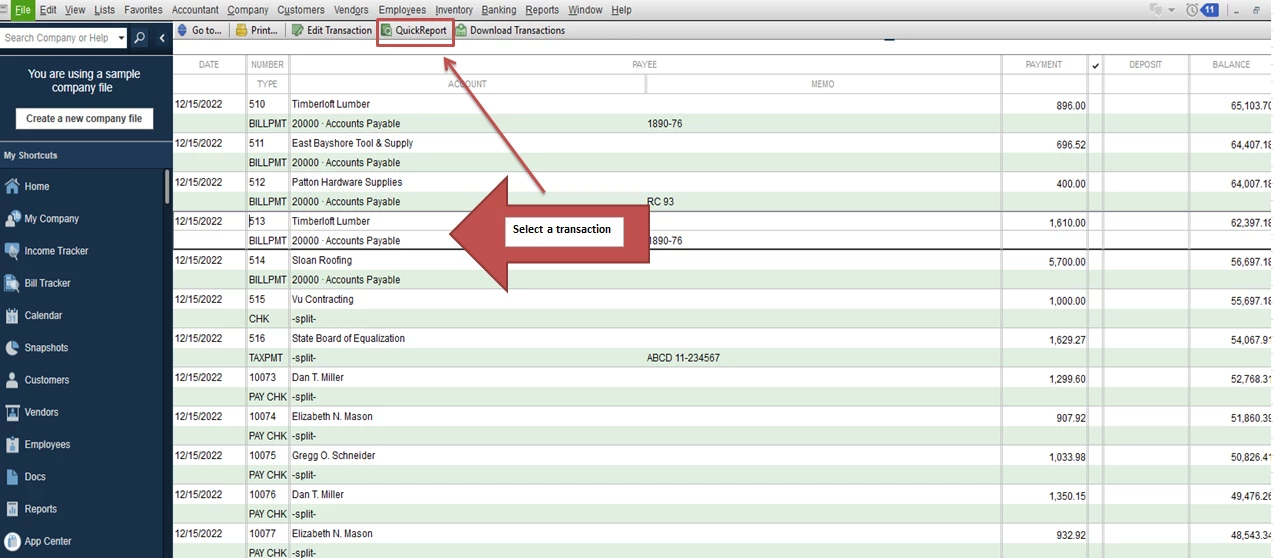
Then I went into the 'bank register' for my business credit card and tried to do the same As shown in image, In this credit card's register, as soon as I click the QuickReport button, instead, I receive the error "Cannot generate a QuickReport without a name."   There's nowhere to enter a name???


If a QuickReport is not available for Credit Cards. It should be grayed-out.


Thanks in advance for advice.
Best answer by Rubielyn_J

I can help you generate the QuickReport in QuickBooks Desktop, @AL_Debit.


To get rid of the error message, let's ensure to select a transaction before clicking the QuickReport button. 


Here's how: 

  1. Open your company file.
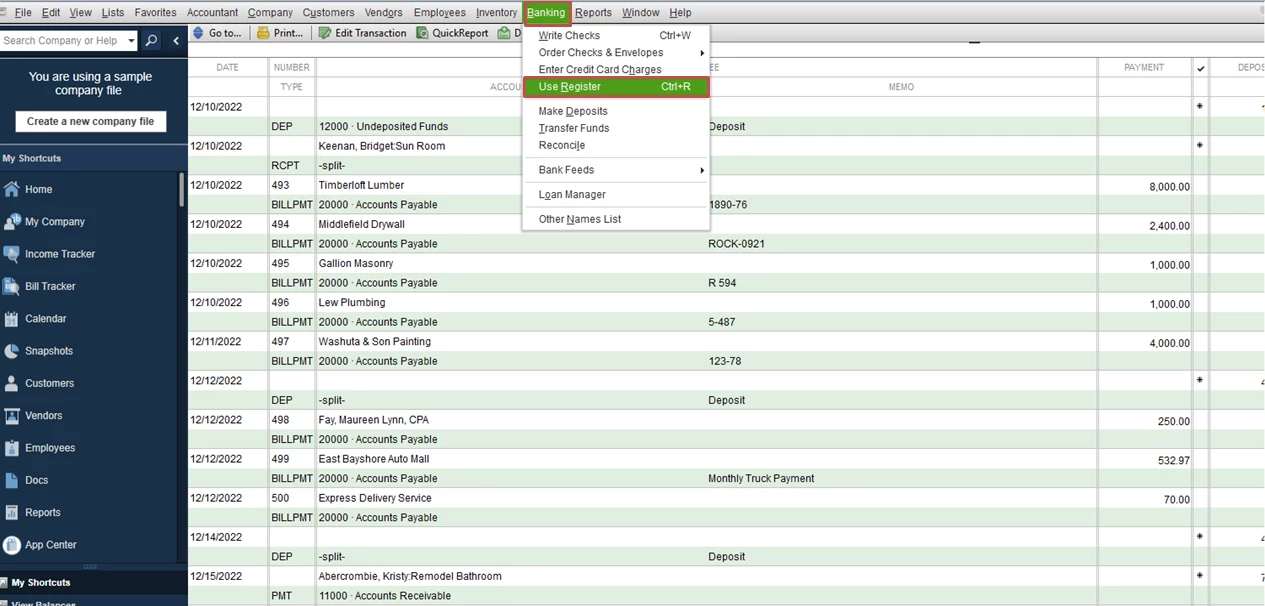
  2. Choose the Banking menu and then select Use Register.
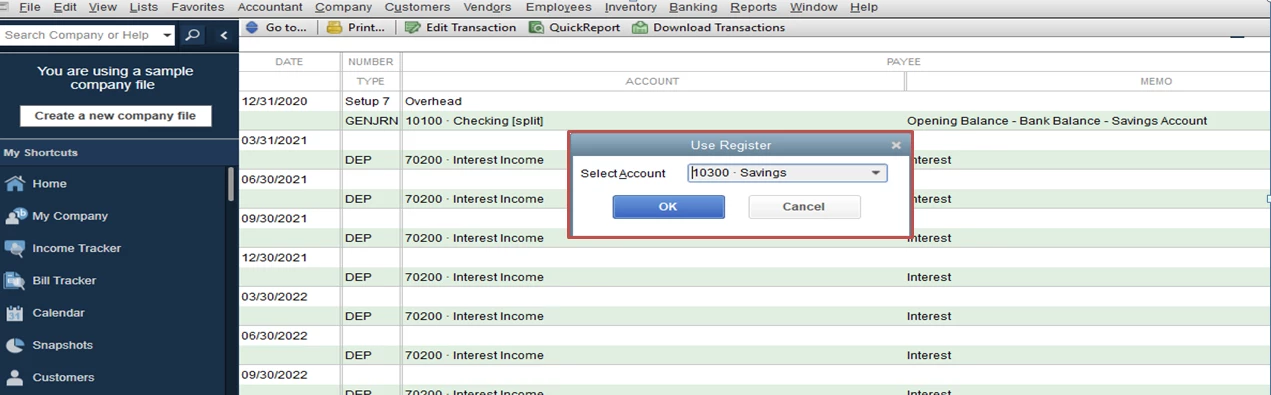
  3. Select your business credit card account and click OK.
  4. Choose a transaction and click the QuickReport button. 

You'll want to personalize your report. Please refer to this article for more details: Customize reports.


If you have other questions in mind, please let me know. I'll get back to you right away. Have a pleasant day.

1 reply

Rubielyn_J
Level 8
January 15, 2021

I can help you generate the QuickReport in QuickBooks Desktop, @AL_Debit.


To get rid of the error message, let's ensure to select a transaction before clicking the QuickReport button. 


Here's how: 

  1. Open your company file.
  2. Choose the Banking menu and then select Use Register.
  3. Select your business credit card account and click OK.
  4. Choose a transaction and click the QuickReport button. 

You'll want to personalize your report. Please refer to this article for more details: Customize reports.


If you have other questions in mind, please let me know. I'll get back to you right away. Have a pleasant day.

AL_DebitAuthor
January 26, 2021

Only works if a Name is specified on selected transaction. Ok, I get it.