Hello, Abbymc22.
QuickBooks Online (QBO) does not offer the Transaction Detail by Class report by default, unlike QuickBooks Desktop (QBDT). However, you can customize the Transaction Detail by Account report in QBO to include class groupings and running balances for each Class. Here’s how:
- Open the Transaction Detail by Account report, and click on Customize.
- Under the Data tab, go to the Filter section and select Class from the first dropdown menu.
- In the third box, select All accounts with Class.
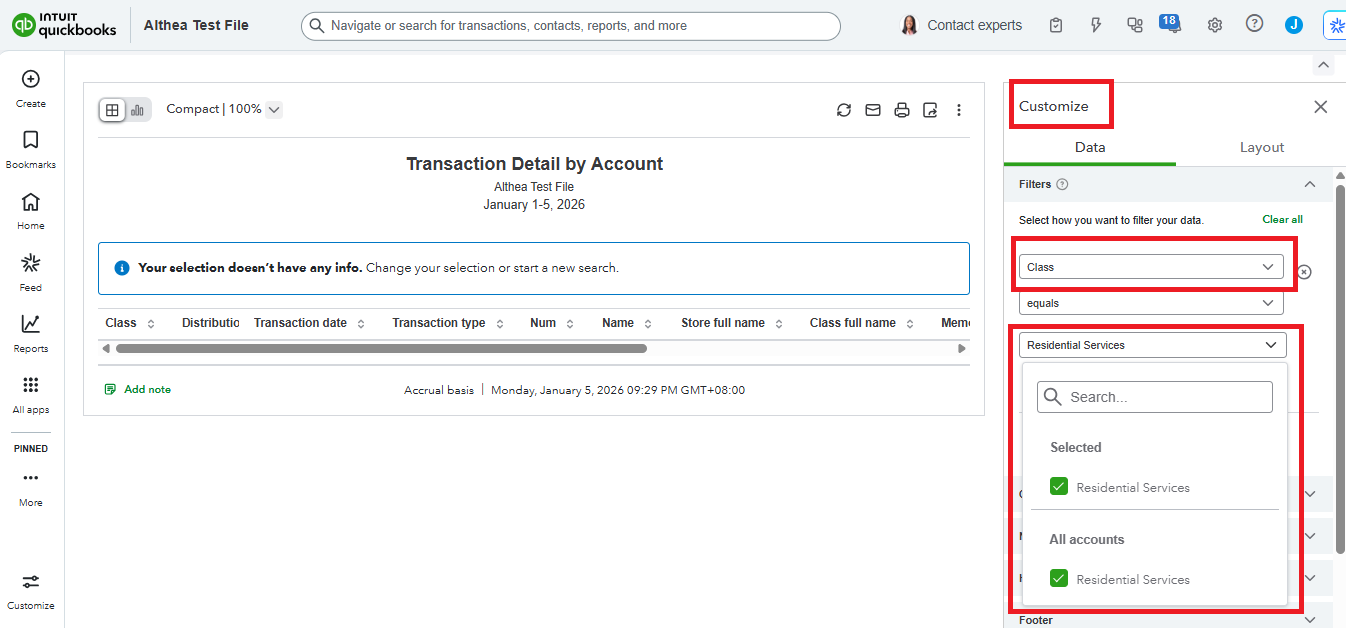
- Switch to the Columns tab and ensure that the option for Class Full Name is selected.
- In the Groups tab, set Group by to Class.
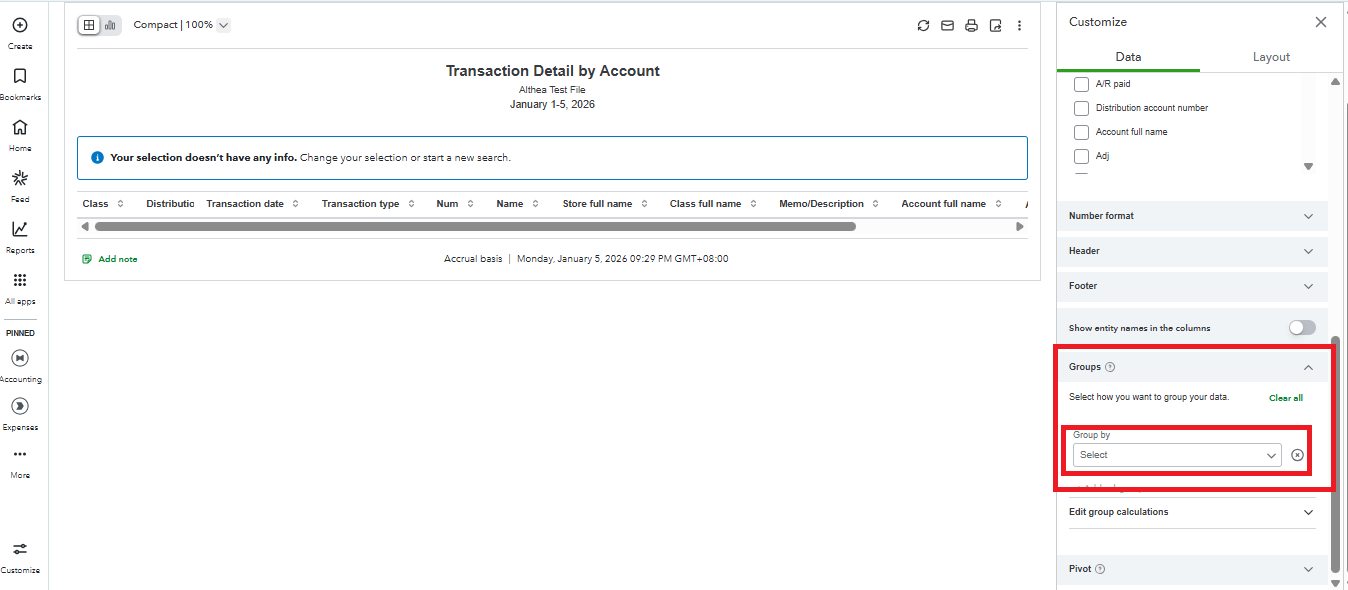
Once you run the report, it will display the transactions organized by Class, along with the running balance for each Class. If you frequently use this report, you can save the customization by clicking Save As at the top of the report.
Struggling with report customization? QuickBooks Live Expert Assisted makes it easy by handling your bookkeeping, organizing records, and tailoring reports to your needs so you can focus on growing your business.
Let us know if you have more questions or need further assistance. We are here to help.
