
Get 50% OFF QuickBooks for 3 months*

Buy now
Switch to QuickBooks and 70% off for 3 Months
October 20, 2025
Question

How can I select different tax codes for products and shipping fee?

  • October 20, 2025
  • 2 replies
  • 46 views

Now I can only select a specific tax code for the whole invoice and it won't calculate tax for the shipping fee.
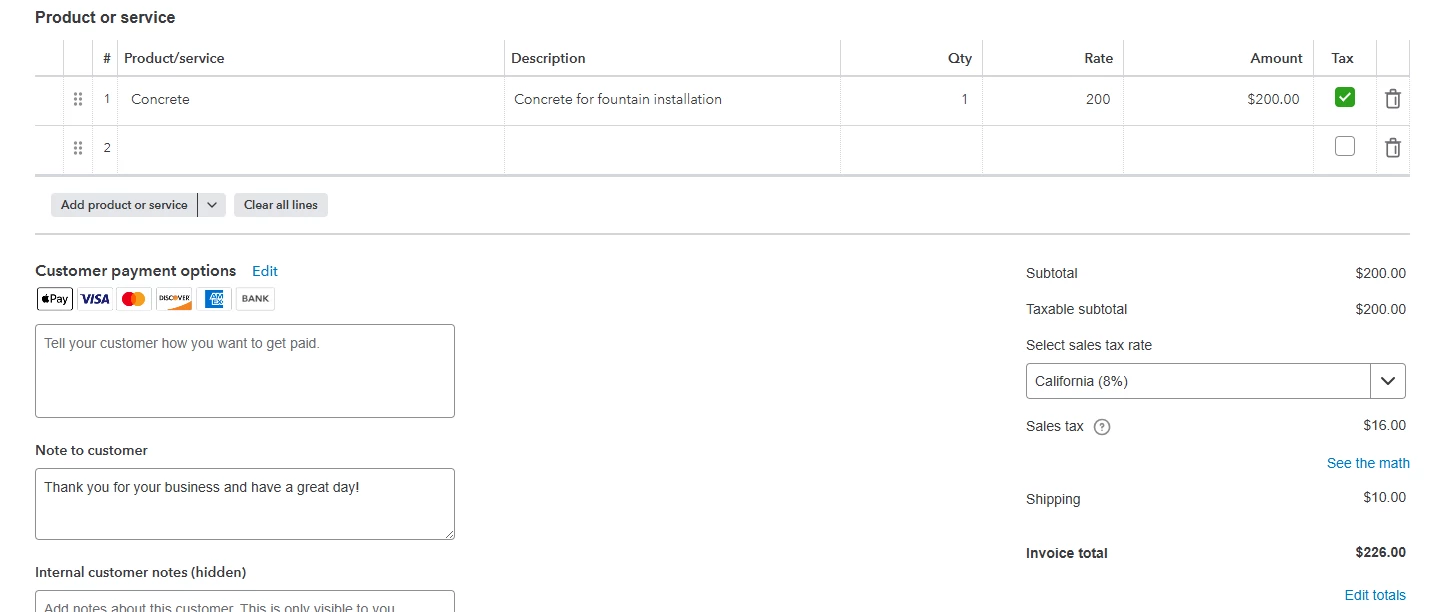
 

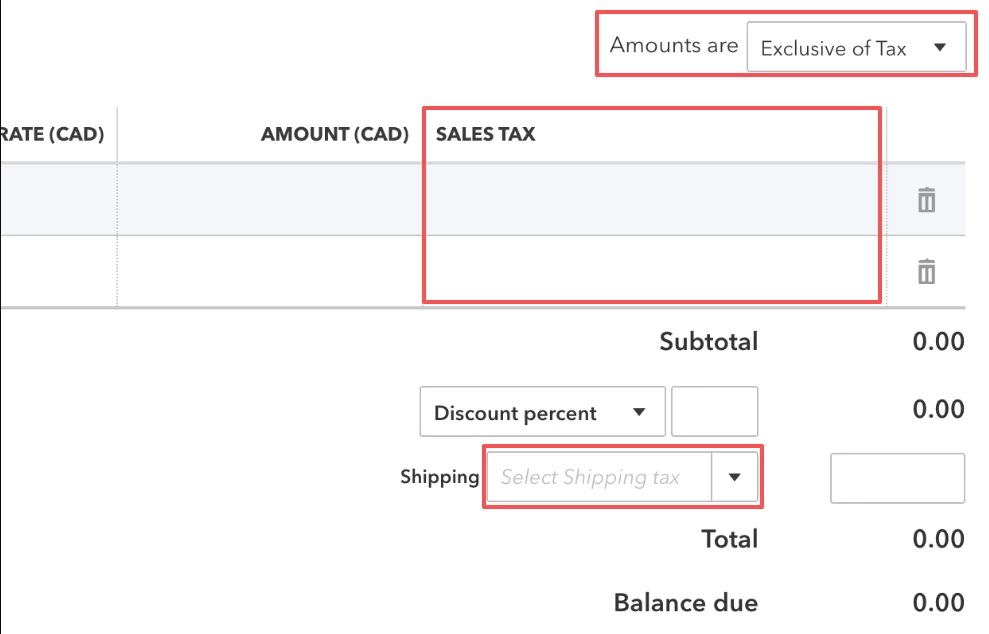
Here is a screenshot that I got from somewhere else. How can I change my format to display like this?

So I can select tax code for each item separately and also can select tax for the shipping fee.
2 replies

QuickBooks Team
October 20, 2025

The Sales Tax feature in QuickBooks Online varies depending on the region you have subscribed to, Chris.


QuickBooks Online is designed to account for your region's tax laws automatically, ensuring accurate sales tax calculations. The calculation is based on the following factors:


  • Your customer's sales tax exemption status
  • The location where you sell or ship goods
  • The sales tax category of your product or service


From your first screenshot, it appears you have subscribed in the United States. This setup only allows one sales tax rate per invoice. To learn more about how automated sales tax works and how to set it up in QuickBooks Online, check out this article: Set up and use automated sales tax in QuickBooks Online.


As a workaround, you can create a custom tax rate for your shipping fee item and combine it with other tax rates. Then, you can apply it to the affected invoice.


In contrast, your second screenshot pertains to QuickBooks Online for Canada. While the same factors apply to calculate sales tax as in the United States, the Canadian version includes additional options to align with Canada’s tax regulations, allowing QuickBooks Online to apply different sales tax rates per line item on an invoice. For specific details, read this article: Set up and use sales tax in QuickBooks Online.


Additionally, I recommend consulting your accountant to explore options for applying different tax rates to items within a single invoice. They can provide guidance to ensure compliance with your state’s tax regulations while meeting your business requirements.


Let us know if you have any further questions or need assistance. We're here to help.

QuickBooks Team
October 22, 2025

Hi there, Chris465. 


Just checking in to see if the solution we shared worked for you.


Did it fix the issue, or are you still having trouble?


Happy to help if you need any more assistance!