Solved
How to access my 2022 and 2023 Sales & Witholding Tax
How to access my 2022 and 2023 Sales & Withholding Tax

How to access my 2022 and 2023 Sales & Withholding Tax
Let me guide you on how to access your company’s sales and withholding tax information, Persian.
In QuickBooks Desktop, you can access your sales and withholding tax details by running two separate reports.
You can generate the Sales Tax Revenue Summary report for a detailed overview of your sales tax data and the Payroll Summary report for the withholding taxes.
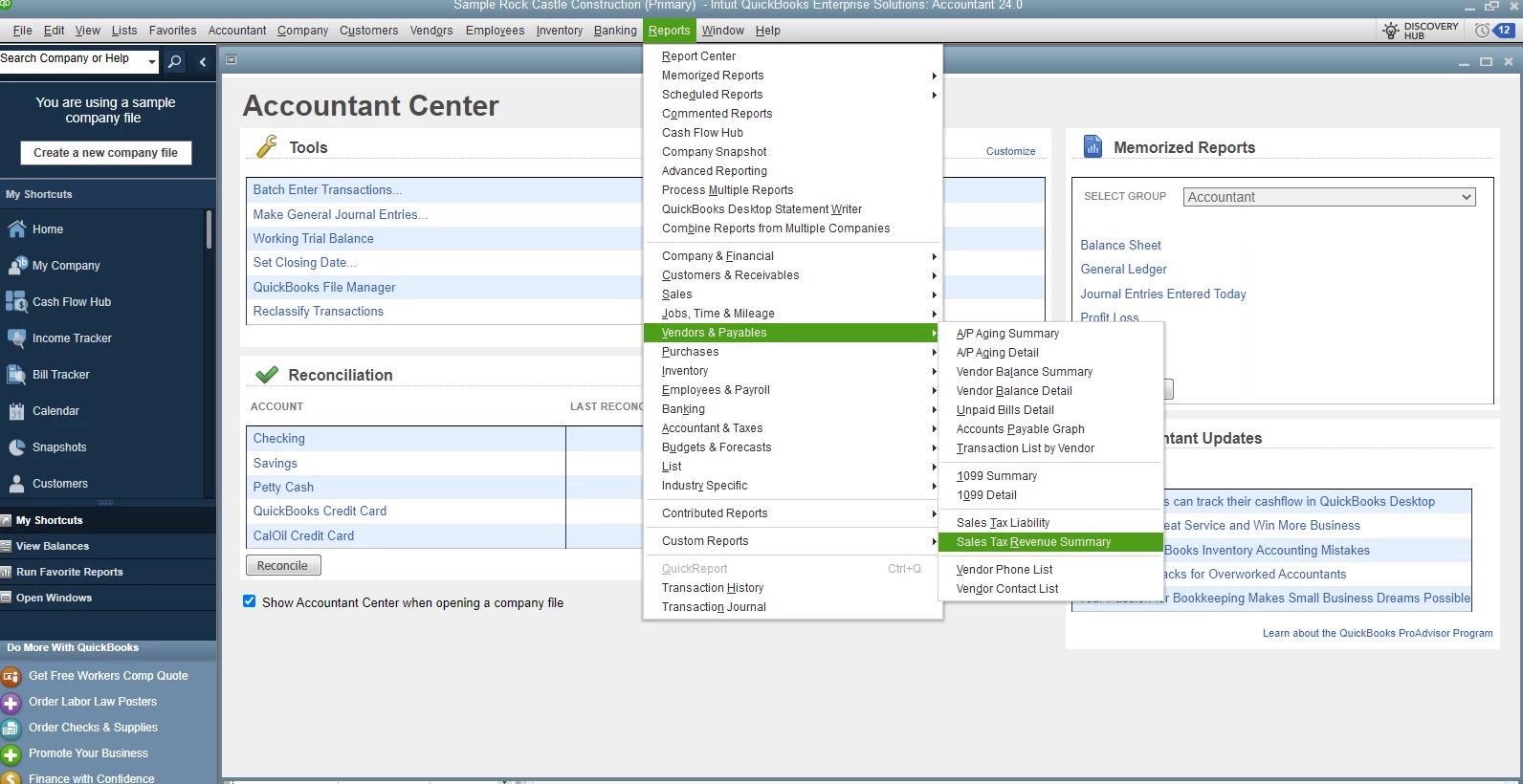
To run your Sales Tax Revenue Summary report, follow these steps:
For visual clarity, I’ve attached a screenshot as your reference.
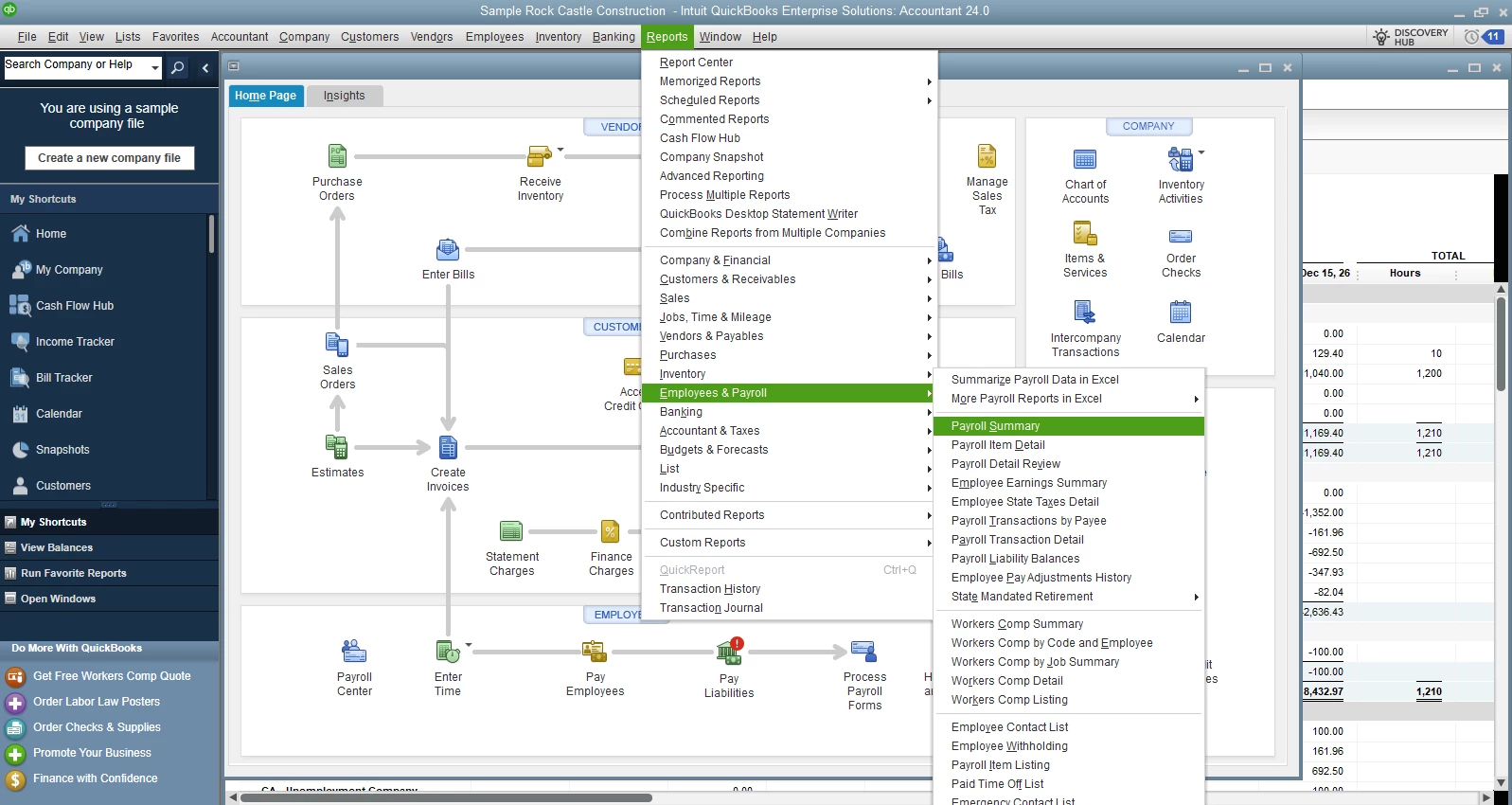
To generate your Payroll Summary report, here’s how:
Please let us know if you have additional questions or if there’s anything else we can assist you with.
Enter your E-mail address. We'll send you an e-mail with instructions to reset your password.