
Get 50% OFF QuickBooks for 3 months*

Buy now
Switch to QuickBooks and 70% off for 3 Months
June 27, 2025
Solved

Custom fields are not visible in API

  • June 27, 2025
  • 1 reply
  • 8 views

I created couple custom fields, made them inactive. Then I created 2 which I want to use on invoices and credit memo's, one is Booking ref
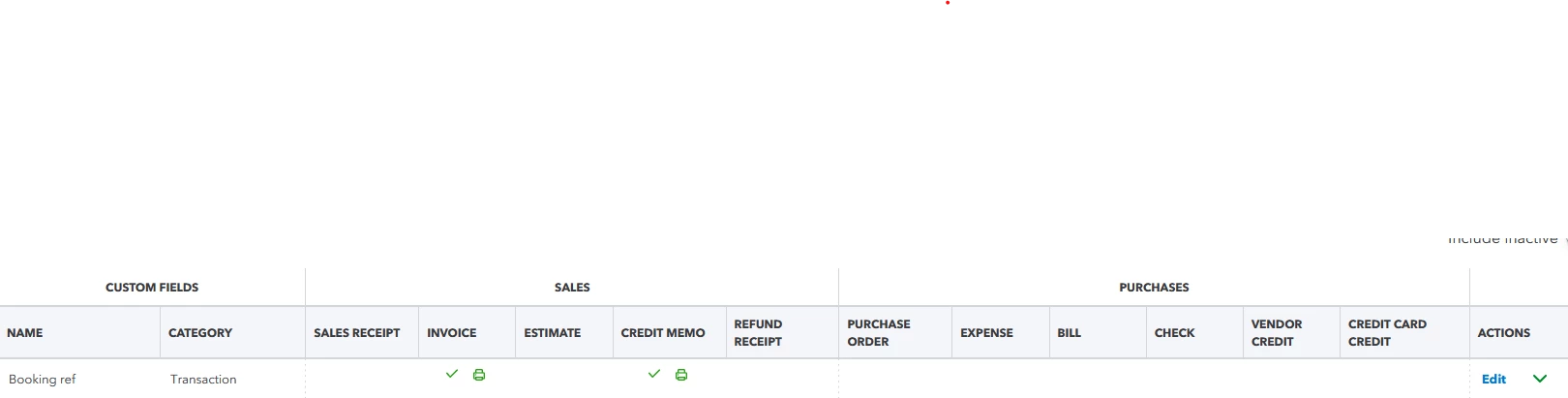
When I tried to get these field id I can't

I am using php SDK (newest version)
and when I use 

getCompanyPreferences();

method I do not see in payload this field, however I see the first 3 fields which are INACTIVE


How can I get list of active fields so I can get their ids?


Beside when I use quickbook online and I create invoice with this field - it is visible online only and when I pull data for this invoice via api - CustomField property is empty
Best answer by ThomasJosephD

You can visit our Intuit developer support page, ATC2025.


Since this involves specific details within the API's structure and behavior, particularly related to the functionality of custom fields and how they are retrieved or displayed, I recommend visiting our Intuit Developer Support page.


This platform is designed to provide valuable resources for software development and allows you to connect with fellow developers to ask questions.


Here's how:


  1. Go to the Intuit Developer Support page.
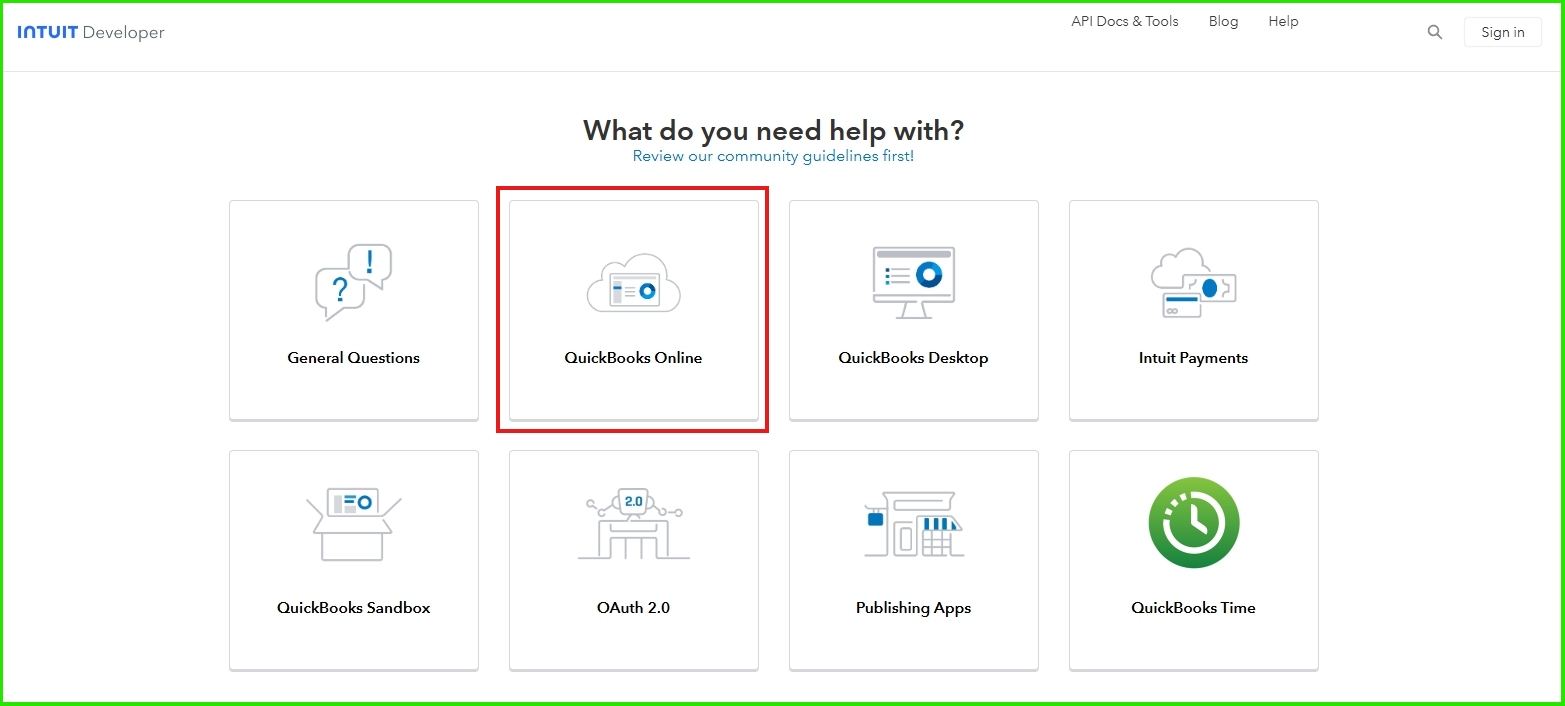
  2. Scroll down and select QuickBooks Online.

     
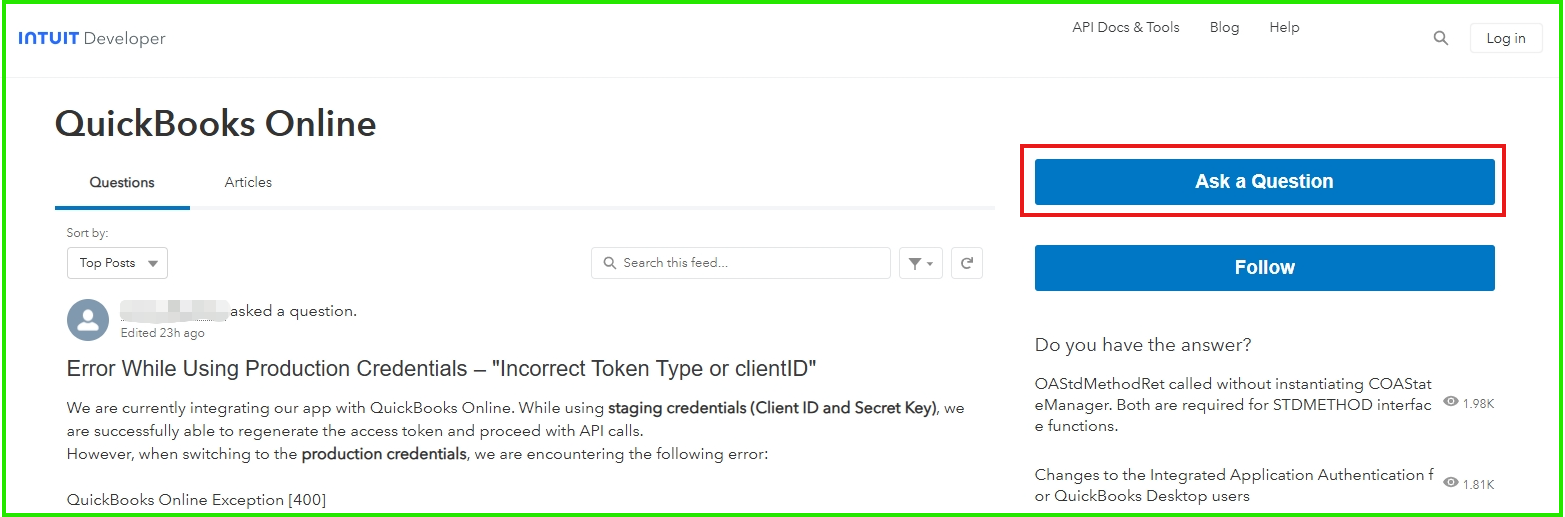
  3. Click Ask a Question.

     
  4. Log in to your existing Intuit Developer Account or create a new one.
  5. Enter your technical concern or inquiry.
  6. Click Ask.


You may find this article helpful as a future reference for sending invoices or reports to multiple email addresses at once: Email a sales form or report to multiple email addresses in QuickBooks Online.


If you have further questions or need additional assistance, feel free to reach out to our Community forum again.

1 reply

QuickBooks Team
June 27, 2025

You can visit our Intuit developer support page, ATC2025.


Since this involves specific details within the API's structure and behavior, particularly related to the functionality of custom fields and how they are retrieved or displayed, I recommend visiting our Intuit Developer Support page.


This platform is designed to provide valuable resources for software development and allows you to connect with fellow developers to ask questions.


Here's how:


  1. Go to the Intuit Developer Support page.
  2. Scroll down and select QuickBooks Online.

     
  3. Click Ask a Question.

     
  4. Log in to your existing Intuit Developer Account or create a new one.
  5. Enter your technical concern or inquiry.
  6. Click Ask.


You may find this article helpful as a future reference for sending invoices or reports to multiple email addresses at once: Email a sales form or report to multiple email addresses in QuickBooks Online.


If you have further questions or need additional assistance, feel free to reach out to our Community forum again.